Build your own neural network in the browser
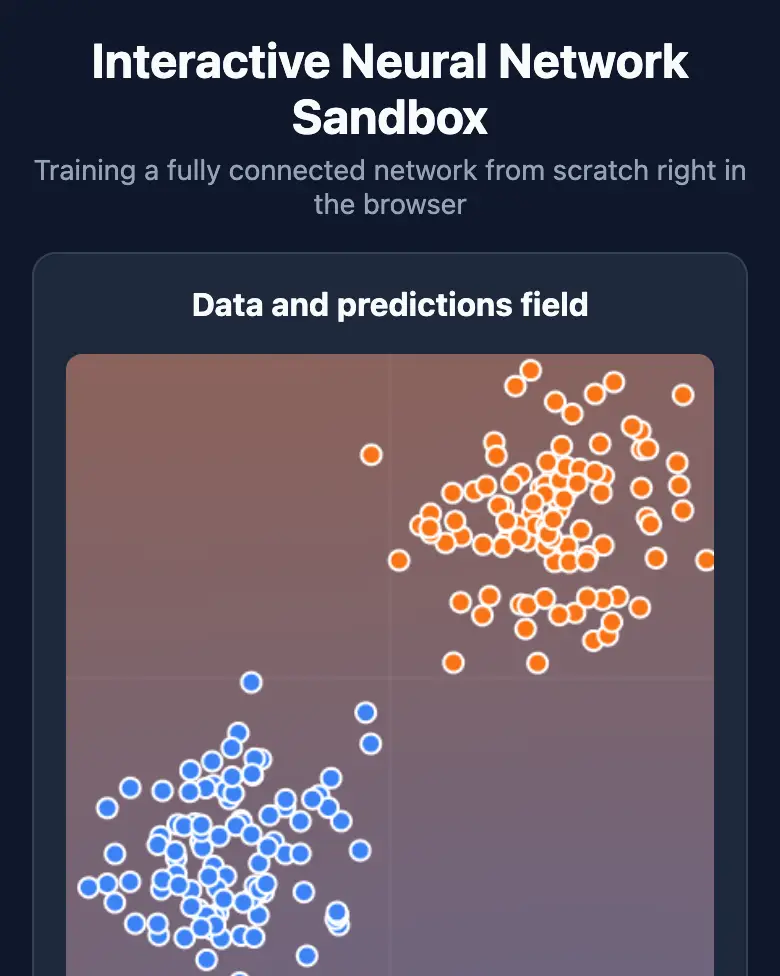
Place dots of two colors and a tiny neural network learns to separate them before your eyes. Watch every neuron, every epoch and the error drop.
✓ Prompt tested in Gemini (signed out): worked 3 out of 3 times
- Level
- Pro
- You make
- A trainable neural network with visualization in a single HTML file
- Age
- 13+
- Time
- ≈ 45 min
- Tools
- Gemini
- Account
- Not needed
What you’ll get
You’ll build a real neural network — with no libraries, in a single file — and watch it learn. This level is for those who have already done the Builder missions.
Steps
-
Open gemini.google.com. If you’re under 13, do it together with a parent, on their device.
-
Copy the whole prompt and send it:
Make an interactive neural network sandbox in a single HTML file. Don't load anything from the internet: no Tailwind, no CDN, no fonts, no images and no libraries — only your own CSS and JavaScript inside the file. Don't save anything in the browser's storage. The whole interface in English. Write the neural network yourself: 2 inputs (x, y from −1 to 1), one hidden layer with tanh, 1 output with a sigmoid, training by gradient descent with backpropagation, and the loss is binary cross-entropy. On the left, a square field on a canvas: a tap places a dot, and a switch toggles "Blue / Orange". The field's background is painted with the network's prediction (blue ↔ orange) and updates every 10 epochs. Dataset buttons: "Two clusters", "Circle", "Checkerboard", "Spiral" (200 points each), "Clear". Buttons "Train / Pause" and "Reset weights". Sliders: number of neurons in the hidden layer (1–8, default 4) and learning rate (0.01–1, default 0.1). On the right, a network diagram: circles are neurons and lines are weights, thickness = size of the weight, color = sign. Below the field: the epoch number, the loss and a small loss chart. Check that all variables are declared and all functions exist. Everything must look good on a phone (on a narrow screen the diagram goes below the field). Show the result in Canvas. -
Wait about a minute, click Preview and try all the buttons and sliders.
-
Check the AI (see the question above).
-
Click Download (sometimes it’s the Export menu) — the file opens in any browser.
Change the prompt
Change only the words, and keep the rules about the internet and Canvas.
- “4 neurons” → “2 hidden layers of 4 neurons each”
- “tanh” → “ReLU” — compare how fast it learns
If it doesn’t work
- The background doesn’t change? Write:
The field background doesn't repaint during training. Find and fix the error. - The error doesn’t drop? Write:
The loss doesn't decrease on the "Two clusters" dataset. Check the backpropagation formulas. - No Preview button? Write:
Show the result in Canvas.
Sending work to the gallery opens soon.