Ecosystem: a foxes and rabbits simulation
Grass, rabbits and foxes on one field, with a live population chart. Can your ecosystem last a whole minute? A biology simulation for curious minds.
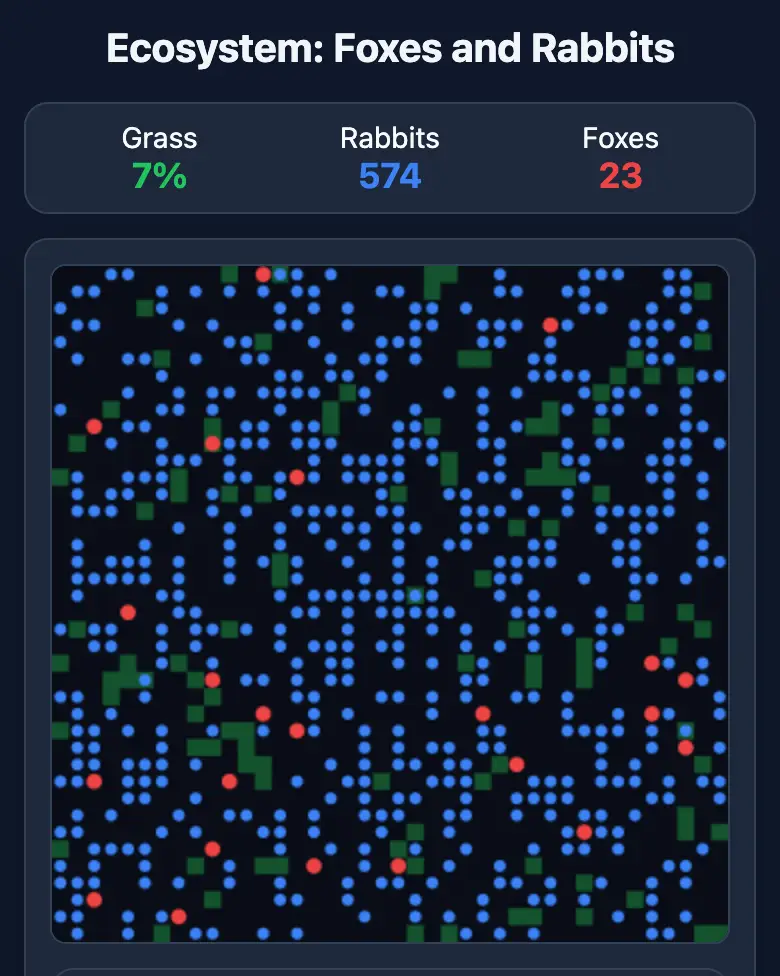
✓ Prompt tested in Gemini (signed out): worked 3 out of 3 times
- Level
- Advanced
- You make
- An ecosystem simulation in a single HTML file
- Age
- 12+
- Time
- ≈ 40 min
- Tools
- Gemini
- Account
- Not needed
What you’ll get
This is a beta mission: the prompt is written, but it didn’t work every time in our tests. If something doesn’t work, tell the AI what you see in a single message.
Steps
-
Open gemini.google.com. If you’re under 13, do it together with a parent, on their device.
-
Copy the whole prompt and send it:
Make a "Foxes and Rabbits" ecosystem simulation in a single HTML file. Don't load anything from the internet: no Tailwind, no CDN, no fonts, no images and no libraries — only your own CSS and JavaScript inside the file. Don't save anything in the browser's storage. The whole interface in English. The field is a 40×40 grid of cells on a canvas, with wrapped edges (go off the right side and you appear on the left), 10 simulation steps per second. Use exactly these default numbers: grass in an eaten cell regrows after 30 steps; at the start there are 80 rabbits and 10 foxes in random cells, and half of the cells have grass. Every step, each animal moves to a random neighboring cell. A rabbit loses 0.25 energy per step, and when it eats the grass in its cell it gets +4; when its energy is above 12 it splits: the energy is halved and a baby appears next to it. A fox loses 0.06 energy per step; if there is a rabbit in its cell, it catches it with a 30% probability and gets +6; when its energy is above 30 it splits the same way. An animal with 0 energy dies. No more than 600 rabbits. Migration: if there are fewer than 10 rabbits, 1 new rabbit arrives from the edge of the field every second; if there are fewer than 3 foxes, 1 fox arrives every 3 seconds. Use a single step() function for one simulation step and call it from requestAnimationFrame according to the speed. Sliders: grass regrowth time (10–60 steps), fox hunting luck (10–60%), simulation speed. Tapping the field adds a rabbit, and a toggle button switches "Add: rabbit / fox". At the bottom, a live chart of the number of grass, rabbits and foxes over the last minute. If any species dies out, show a big "Extinct!" message and a "Restart" button. Before answering, reread all the code: every bracket is closed, arrow functions are written correctly, all variables are declared and all functions exist. Everything must look good on a phone. Show the result in Canvas. -
Wait about a minute, click Preview and try all the buttons and sliders.
-
Check the AI (see the question above).
-
Click Download (sometimes it’s the Export menu) — the file opens in any browser. Show it off in class!
Change the prompt
Before sending, swap a few words to make it your own version. Change only the words, and keep the rules about the internet and Canvas.
- “foxes” → “wolves”, “rabbits” → “deer”
If it doesn’t work
- The AI says it changed everything, but the result is the same? Write:
Nothing changed. Show the updated version in Canvas. - No Preview button? Write:
Show the result in Canvas.
Sending work to the gallery opens soon.