Space Cat levels: a game with 3 levels and a win
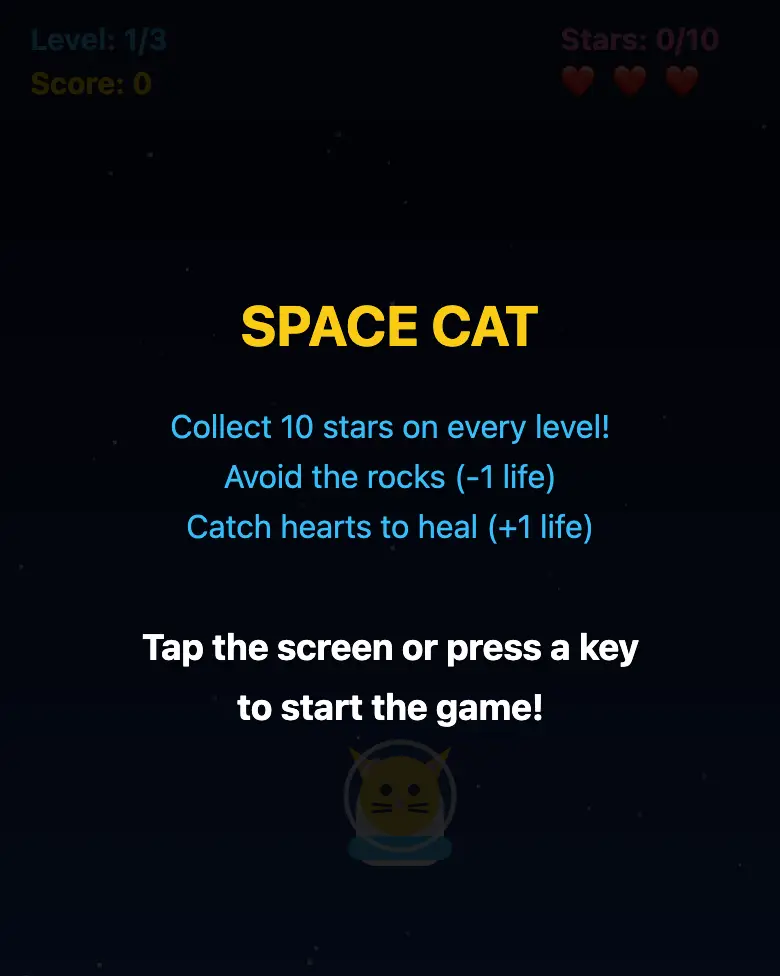
Make the big version of Space Cat: three levels, heart lives, sounds and a victory screen with a trophy. A game you can actually beat.
✓ Prompt tested in Gemini (signed out): worked 3 out of 3 times
- Level
- Intermediate
- You make
- A 3-level game in a single HTML file
- Age
- 10+
- Time
- ≈ 35 min
- Tools
- Gemini
- Account
- Not needed
What you’ll get
The same cat game, but the real deal: blue space, a purple nebula and an orange planet, getting faster on every level. Stars chime, rocks boom, hearts give lives back. After level three there’s a trophy, fireworks and “You saved space!”. Press “Play the example” above.
Start by making the simple version — the “Space Cat” mission. This one is the next step.
Steps
-
Open gemini.google.com and start a new chat. If you’re under 13, do it together with a parent.
-
Copy the whole prompt and send it:
Make a game for a phone in a single HTML file. Don't load anything from the internet: no Tailwind, no CDN, no fonts — only your own CSS and JavaScript inside the file. Don't save anything in the browser's memory. At the bottom of the screen is a cat in a space helmet; I move it left and right with my finger (on a computer, with the arrow keys). From the top fall yellow stars (+1 point), purple rocks (−1 life) and sometimes red hearts (+1 life, but no more than 3). The game has 3 levels with different backgrounds: 1 — blue space, 2 — purple nebula, 3 — orange planet with rings. To finish a level, catch 10 stars: show the level's stars separately (for example, "3/10"), while the total score keeps adding up over the whole game and never resets. Each next level everything falls faster. Between levels show a "Level 2!" and "Level 3!" screen for 2 seconds. After the third level show a victory screen: a golden trophy, fireworks and the text "You saved space!". Make the sounds with the Web Audio API: star — a "ding", rock — a "boom", heart — a cheerful note, victory — a short melody. At the top show the level, the score and the lives as hearts. When the lives run out — "Game over — tap to play again". No images — draw everything on the canvas. Show the result in Canvas. -
Wait about a minute, click Preview and play through all three levels.
-
Check the AI (see the question above).
-
Click Download (sometimes it’s under the Export menu) — the file opens in any browser.
Change the prompt
Before sending, swap a few words in the prompt and the game becomes yours:
- “a cat in a space helmet” → “a penguin on an ice floe”, “stars” → “fish”, “rocks” → “icicles”
- “1 — blue space, 2 — purple nebula, 3 — orange planet with rings” → “1 — morning forest, 2 — sunset, 3 — night forest with fireflies”
- “catch 10 stars” → “catch 15 stars” — the game gets longer
Change only the words, and leave the rules about “don’t load anything from the internet” and “Show the result in Canvas” exactly as they are.
If it doesn’t work
- The game froze when the level changed? Write: “The game freezes when switching to level 2. Fix it, change nothing else.”
- The AI says it changed everything, but the game is the same? Write:
The game didn't change. Show the updated game in Canvas. - No sound? Check that your phone isn’t on silent and tap the screen — browsers only turn sound on after the first touch.
Sending work to the gallery opens soon.