Your own physics engine: a 2D sandbox
A sandbox where circles and boxes fall, collide and pile up, and you throw them with your finger. Your own 2D engine is a pro-level challenge.
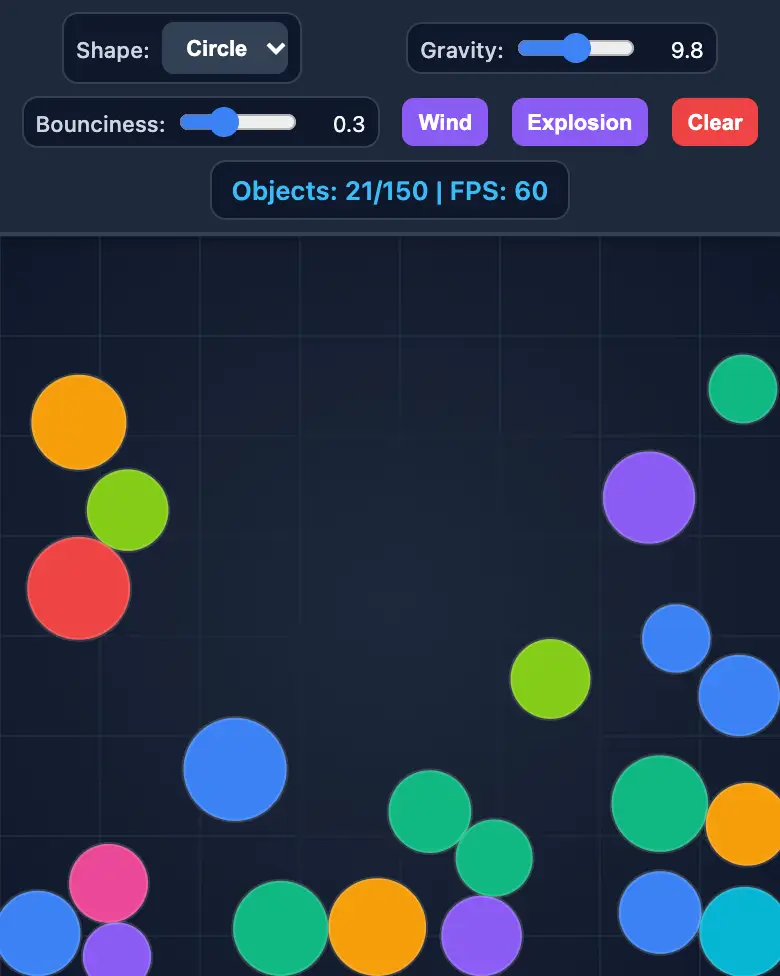
✓ Prompt tested in Gemini (signed out): worked 3 out of 3 times
- Level
- Pro
- You make
- A 2D physics engine in a single HTML file
- Age
- 13+
- Time
- ≈ 45 min
- Tools
- Gemini
- Account
- Not needed
What you’ll get
This is a beta mission: the prompt is written, but it didn’t work every time in our tests. If something doesn’t work, tell the AI what you see in a single message.
Steps
-
Open gemini.google.com. If you’re under 13, do it together with a parent, on their device.
-
Copy the whole prompt and send it:
Make a physics sandbox in a single HTML file. Don't load anything from the internet: no Tailwind, no CDN, no fonts, no images and no libraries — only your own CSS and JavaScript inside the file. Don't save anything in the browser's storage. The whole interface in English. Write your own simple 2D physics engine on a canvas: circles and boxes, boxes do NOT rotate (always straight rectangles). The physics step is fixed at 1/120 of a second, solve collisions in 8 passes, and objects with very low speed "fall asleep" — this way stacks stand straight and don't jitter. The floor and walls are the edges of the screen. Tapping an empty spot creates an object; a switch at the top toggles "Circle / Box". An object can be dragged with a finger and thrown. Sliders: gravity (0–20, default 9.8) and bounciness (0–0.9, default 0.3). Buttons: "Wind" (pushes everything to the right for 2 seconds), "Explosion" (scatters everything away from the center), "Clear". A panel shows the number of objects and the FPS. No more than 150 objects. Check the code: every function that the buttons and sliders call must exist, all variables must be declared, and there must be no syntax errors. Everything must look good on a phone. Show the result in Canvas. -
Wait about a minute, click Preview and try all the buttons and sliders.
-
Check the AI (see the question above).
-
Click Download (sometimes it’s the Export menu) — the file opens in any browser. Show it off in class!
Change the prompt
Before sending, swap a few words to make it your own version. Change only the words, and keep the rules about the internet and Canvas.
- “circle or box” → “circle, box or triangle”
If it doesn’t work
- The AI says it changed everything, but the result is the same? Write:
Nothing changed. Show the updated version in Canvas. - No Preview button? Write:
Show the result in Canvas.
Sending work to the gallery opens soon.