Profile website: build a page about you
A real website about you: a shimmering header, favorite things with icons, and buttons that recolor the whole site. One prompt in Gemini — and no real name.
✓ Prompt tested in Gemini (signed out): worked 3 out of 3 times
- Level
- Beginner
- You make
- A profile website in a single HTML file
- Age
- 9+
- Time
- ≈ 25 min
- Tools
- Gemini
- Account
- Not needed
What you’ll get
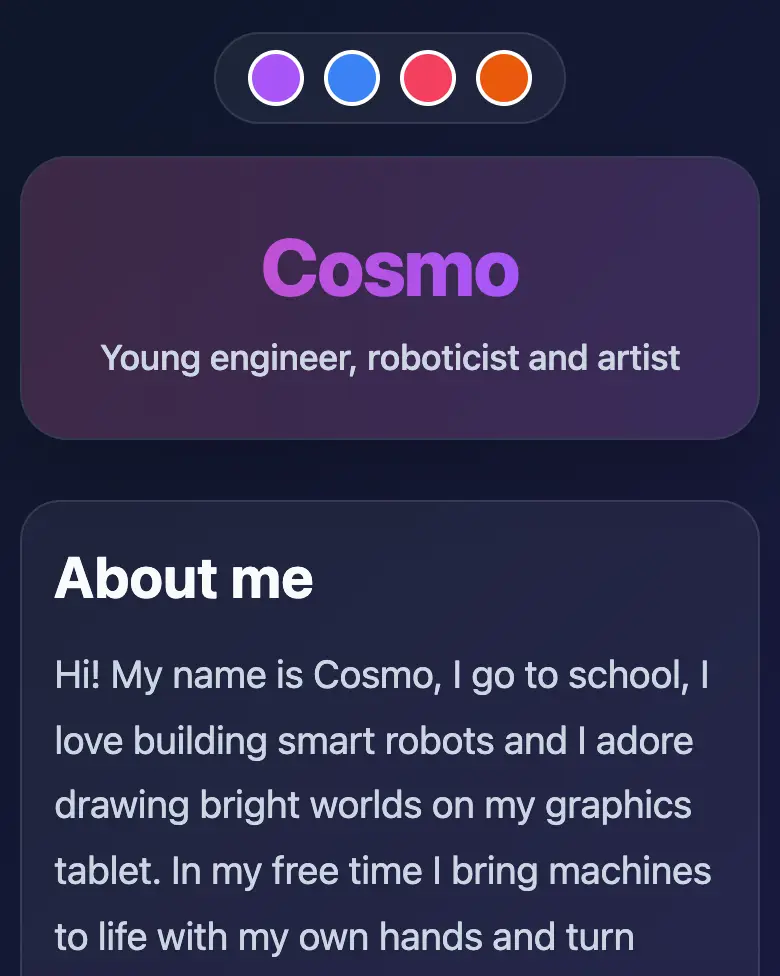
A one-page website: a header with a shimmering gradient, “About me”, six favorite things with drawn icons and a “Message me” button. Four buttons at the top recolor the whole site. Press “Play the example” above — Gemini made it from the prompt below.
Steps
-
Open gemini.google.com. Under 13 — together with a parent, on their device.
-
Copy the whole prompt and send it:
Make a profile website in a single HTML file. Don't load anything from the internet: no Tailwind, no CDN, no fonts, no images and no libraries — only your own CSS and JavaScript inside the file. Don't save anything in the browser's memory. The site is for a kid with the nickname "Cosmo" who loves robots and drawing (don't write a real name). Sections: a header with a shimmering gradient and the nickname; "About me" — three sentences; a grid of 6 favorite things, each with its own icon drawn in SVG; a "Message me" button that opens a small window saying "Thank you! This is an example — messages are not sent anywhere". At the top, 4 colorful buttons that recolor the whole site into a different theme. Smooth scrolling, large text. Everything should look good on a phone. Show the result in Canvas. -
Wait about a minute, click Preview and try all the buttons and sliders.
-
Check the AI (see the question above).
-
Click Download (sometimes it’s under the Export menu) — the file opens in any browser. Show it in class!
Change the prompt
Before sending, swap a few words and you get your own version. Change only the words, and leave the rules about the internet and Canvas as they are.
- “loves robots and drawing” → “loves football and music”
- “the nickname “Cosmo”” → “the nickname “Star””
- “4 colorful buttons” → “6 colorful buttons”
If it doesn’t work
- The AI says it changed everything, but the result is the same? Write:
Nothing changed. Show the updated version in Canvas. - No Preview button? Write:
Show the result in Canvas. - The color buttons change nothing? Write: “The theme buttons don’t change the site’s colors. Fix it, change nothing else.”
Sending work to the gallery opens soon.