Platformer game like Mario: build it with AI
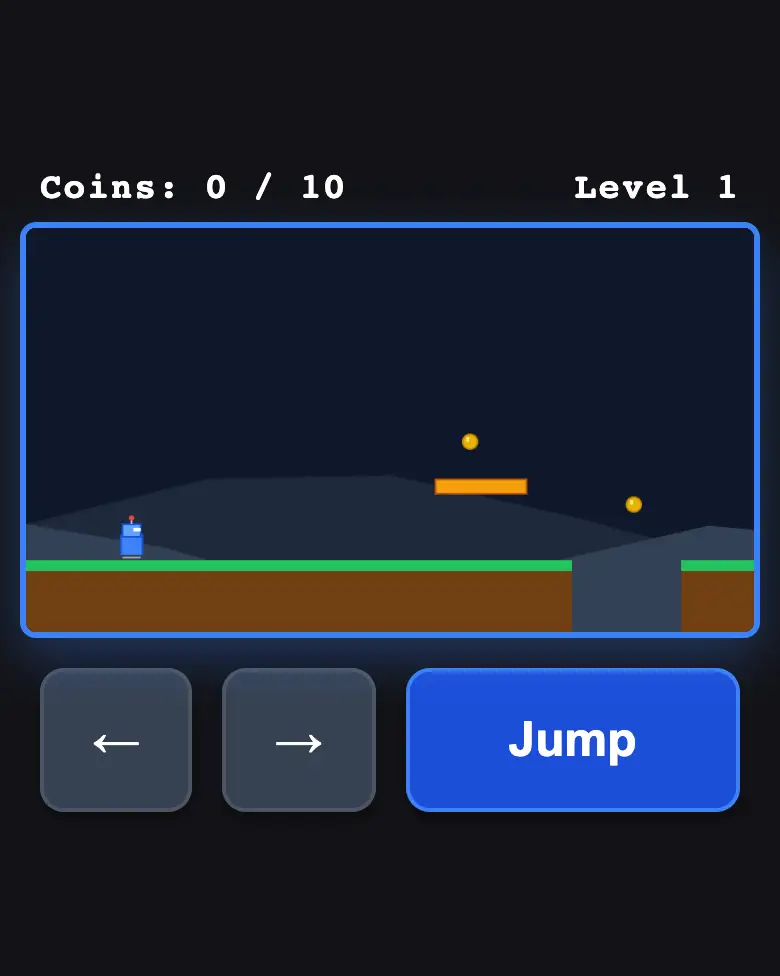
A robot runs, jumps over pits, collects coins and reaches the flag. Make your own platformer with one prompt in Gemini — with buttons for your phone.
✓ Prompt tested in Gemini (signed out): worked 3 out of 3 times
- Level
- Beginner
- You make
- A platformer game in a single HTML file
- Age
- 9+
- Time
- ≈ 30 min
- Tools
- Gemini
- Account
- Not needed
What you’ll get
A little robot runs through a level: pits, platforms, 10 coins and a flag at the end. On a phone there are three big buttons; on a computer, the arrow keys and the space bar. Reach the flag and you get “Level complete!”. Press “Play the example” above.
Steps
-
Open gemini.google.com. Under 13 — together with a parent, on their device.
-
Copy the whole prompt and send it:
Make a simple platformer game like Mario for a phone in a single HTML file. Don't load anything from the internet: no Tailwind, no CDN, no fonts — only your own CSS and JavaScript inside the file. Don't save anything in the browser's memory. Draw the game on a canvas of 800×450 and stretch it to the screen width with CSS. The hero is a little robot. One short level: ground with three small pits, a few platforms, 10 coins and a flag at the end. The screen scrolls along with the hero. Controls: on a phone, three big buttons under the game — ←, → and "Jump"; on a computer, the arrow keys and the space bar. Jump: if the hero is standing on the ground and jump is pressed, give them upward speed; update the "standing on the ground" flag only after checking collisions. It must be possible to jump over every pit. If the hero falls into a pit, they reappear at the start of the level. At the top, a coin counter. When the hero touches the flag — a "Level complete!" screen with the number of coins and an "Again" button. No images — draw everything on the canvas. Show the result in Canvas. -
Wait about a minute, click Preview and play the level.
-
Check the AI (see the question above).
-
Click Download (sometimes it’s under the Export menu) — the file opens in any browser.
Change the prompt
Before sending, swap a few words and you get your own game:
- “a little robot” → “a hedgehog”, “coins” → “apples”, “flag” → “little house”
- “with three small pits” → “with five small pits” — the level gets harder
- “10 coins” → “20 coins”
Change only the words, and leave the rules about the internet, the jump and Canvas as they are.
If it doesn’t work
- The robot doesn’t jump? Write: “The jump doesn’t work: the robot doesn’t jump. Fix the jump, change nothing else.”
- Can’t jump over a pit? Write: “The pit is too wide, it can’t be jumped over. Make the pits narrower.”
- The AI says it changed everything, but the game is the same? Write:
The game didn't change. Show the updated game in Canvas.
Sending work to the gallery opens soon.