Choose-your-own-path quest game in Gemini
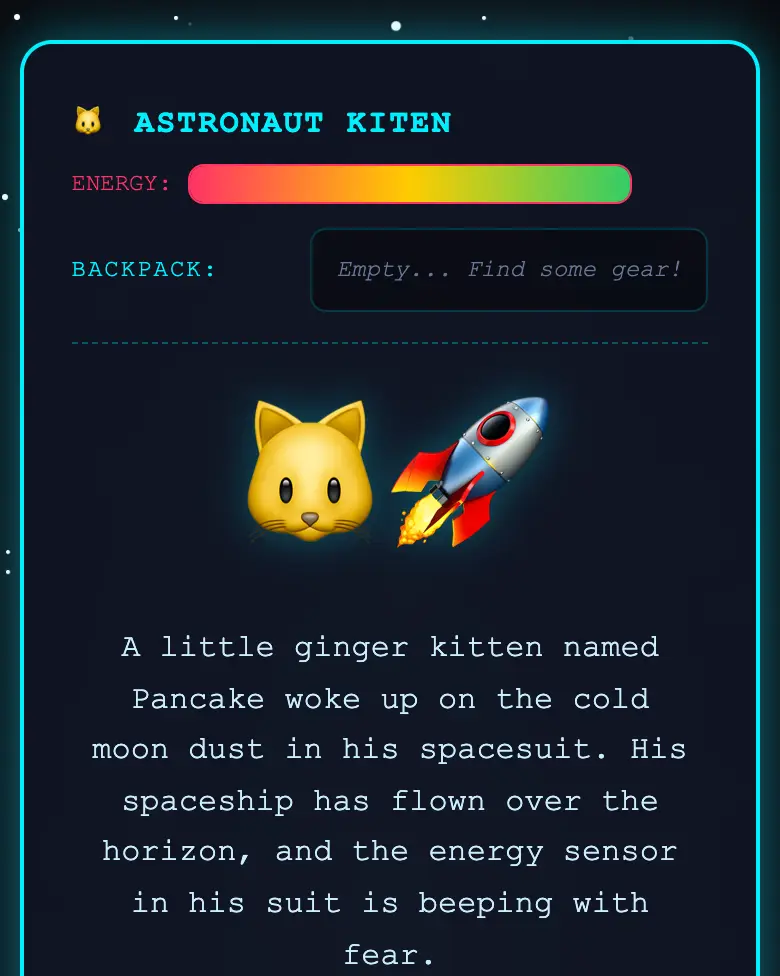
Build an adventure with 15+ screens, a backpack, energy, a riddle and 4 endings. An astronaut kitten looks for his rocket on the Moon. One Gemini prompt.
✓ Prompt tested in Gemini (signed out): worked 3 out of 3 times
- Level
- Advanced
- You make
- An adventure quest in a single HTML file
- Age
- 9+
- Time
- ≈ 40 min
- Tools
- Gemini
- Account
- Not needed
What you’ll get
A quest where your decisions matter. The kitten collects a flashlight, a key and a star map in his backpack, and without them some doors stay closed. Dangerous paths cost energy, and food brings it back. There is a riddle and four different endings. Press “Play the example” above: Gemini made it from the prompt below.
Steps
-
Open gemini.google.com. If you are under 13, do it together with a parent, on their device.
-
Copy the whole prompt and send it:
Make an interactive "Choose Your Own Path" adventure story in a single HTML file. Don't load anything from the internet: no Tailwind, no CDN and no fonts, only your own CSS and JavaScript inside the file. Don't save anything in browser storage. The hero is an astronaut kitten who got lost on the Moon and is looking for his rocket. Make at least 15 screens and 4 different endings. Every screen has a big emoji picture of the scene, 2-3 sentences and 2-3 choice buttons. At the top there is a backpack: along the way the kitten finds items (a flashlight, a key, a star map), and some choices unlock only if the right item is already in the backpack. Also at the top there is an energy bar: dangerous choices take energy away, food adds it; if the energy runs out, it is the "Try again" ending. One screen is a riddle: an ordinary screen with three answer buttons; the right answer leads on, and a wrong answer takes away energy and shows the riddle again. Every ending has a "Start again" button that empties the backpack and restores the energy. Show the result in Canvas. -
Wait about a minute, press Preview, and play the quest. Try to find all 4 endings.
-
Check the AI (the question above). Found a mistake? Tell the AI what is wrong in one message.
-
Press Download (sometimes it is in the Export menu): the file opens in any browser. Let a friend play it: will they find all the endings?
Change the prompt
Before sending, swap a few words and you get your own version. Change only the words, and keep the rules about the internet and Canvas.
- “an astronaut kitten who got lost on the Moon and is looking for his rocket” → “a young pirate looking for treasure on an island”
- “(a flashlight, a key, a star map)” → “(a shovel, a compass, an old map)”
- “at least 15 screens” → “at least 20 screens”
Make the quest yours
Change the hero, the place, the items and the endings, one change per message. If Gemini starts to get confused after 3-4 edits, open a new chat and paste the whole prompt with your changes already in it.
If it doesn’t work
- The quest froze or the buttons stopped working? Tell the AI what you did:
I pressed the wrong answer in the riddle and everything froze. - The AI says it changed everything, but the quest is the same? Write:
The quest did not change. Show the updated version in Canvas. - No Preview button? Write:
Show the result in Canvas.
Sending work to the gallery opens soon.