Virtual pet: build a Tamagotchi-style app
Your own Tamagotchi on your phone: a little dragon you feed, play with and put to bed. Build it from one prompt in Gemini.
✓ Prompt tested in Gemini (signed out): worked 3 out of 3 times
- Level
- Intermediate
- You make
- A “pet” mini-app in one HTML file
- Age
- 10+
- Time
- ≈ 30 min
- Tools
- Gemini
- Account
- Not needed
What you’ll get
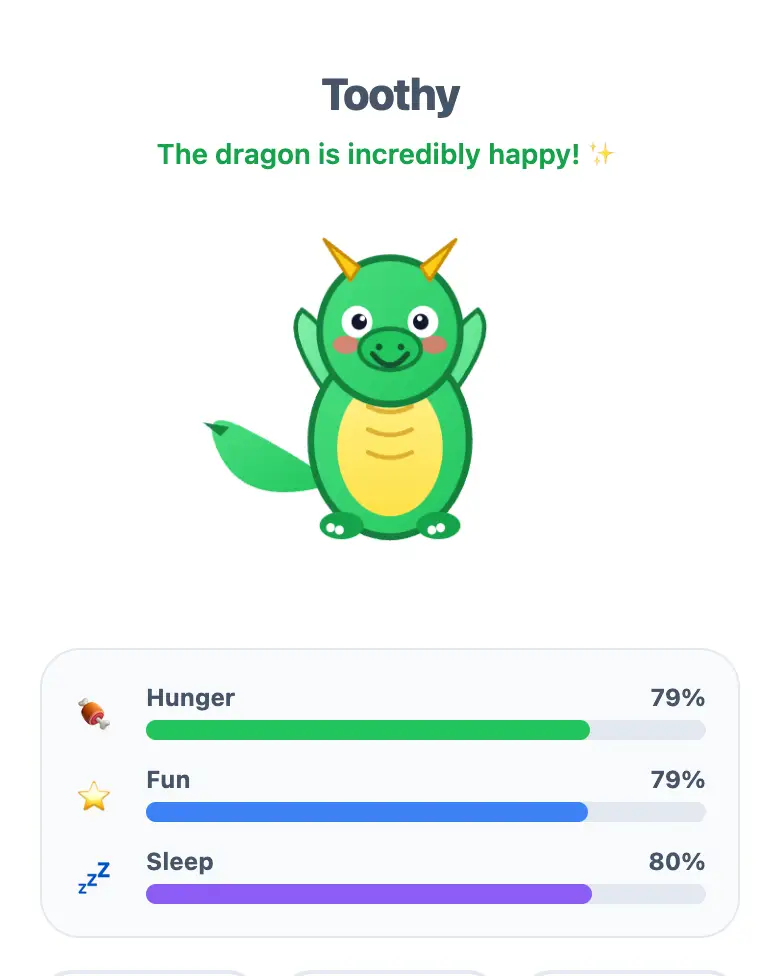
A little dragon and three bars: Hunger, Fun, and Sleep. They slowly drop on their own, and you press buttons to keep your pet happy. Press “Play the example” above. It’s exactly what Gemini made.
Steps
-
Open gemini.google.com. If you’re under 13, do it together with a parent, on their device.
-
Copy the whole prompt and send it:
Make a virtual pet for phones in one HTML file. Don't connect anything from the internet: no Tailwind, no CDN, no fonts, no images, only your own CSS and JavaScript inside the file. Don't save anything in the browser's storage. In the center, a cute little dragon drawn in SVG. Under it, three bars: Hunger, Fun, Sleep, from 0 to 100, each one slowly going down on its own. Three buttons: "Feed", "Play", "Put to bed", each raising its own bar. If any bar is below 30, the dragon is sad. Show the result in Canvas. -
Wait about a minute, press Preview, and take care of the dragon.
-
Check the AI (see the question above).
-
Press Download (sometimes it’s in the Export menu). The file opens in any browser.
Change the prompt
Before sending, swap a few words to get your own version. Change only the words, and keep the rules about the internet and Canvas.
- “cute little dragon” → “cute kitten” (and “the dragon is sad” → “the kitten is sad”)
- “slowly going down” → “quickly going down”, which makes it harder to take care of the pet
Make the pet yours
Send one change at a time and check the result:
Replace the dragon with a kitten.Add a fourth bar "Cleanliness" and a "Wash" button.
If it doesn’t work
- The AI says it changed everything, but the pet is the same? That happens a lot. Write:
The pet didn't change. Show the updated version in Canvas. - No “Preview” button? Write:
Show the result in Canvas. - The buttons don’t work? Describe what you see: “I press ‘Feed’, but the bar doesn’t go up.”
Sending work to the gallery opens soon.